
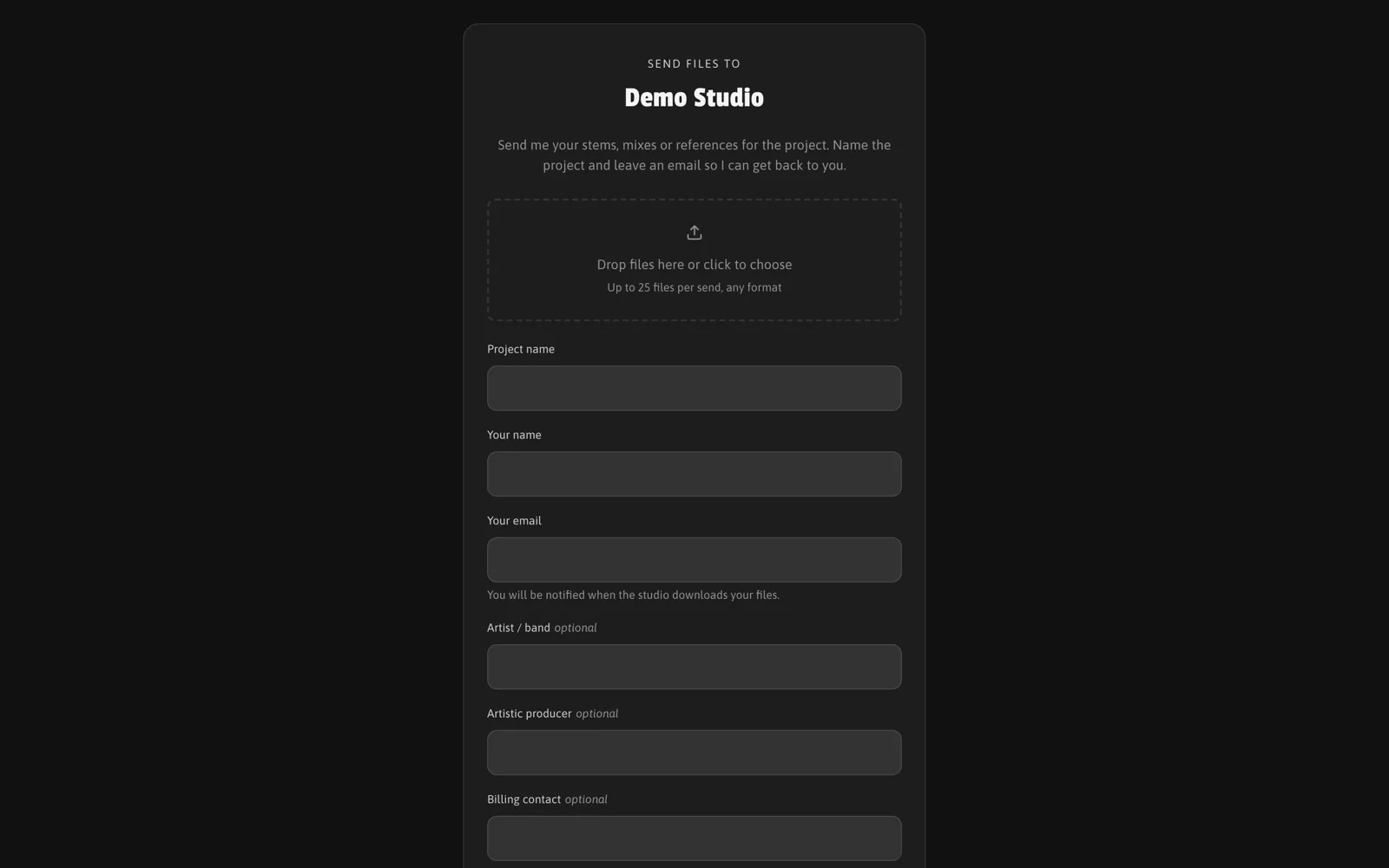
The upload area is a public intake page for studios: clients send their files and a short brief, and everything lands in your library already organised. It is a Studio feature.
Your page is at trakkem.app/your-username/upload. Send the link directly, or embed the form on your own website with the snippet from Settings.
Setting it up
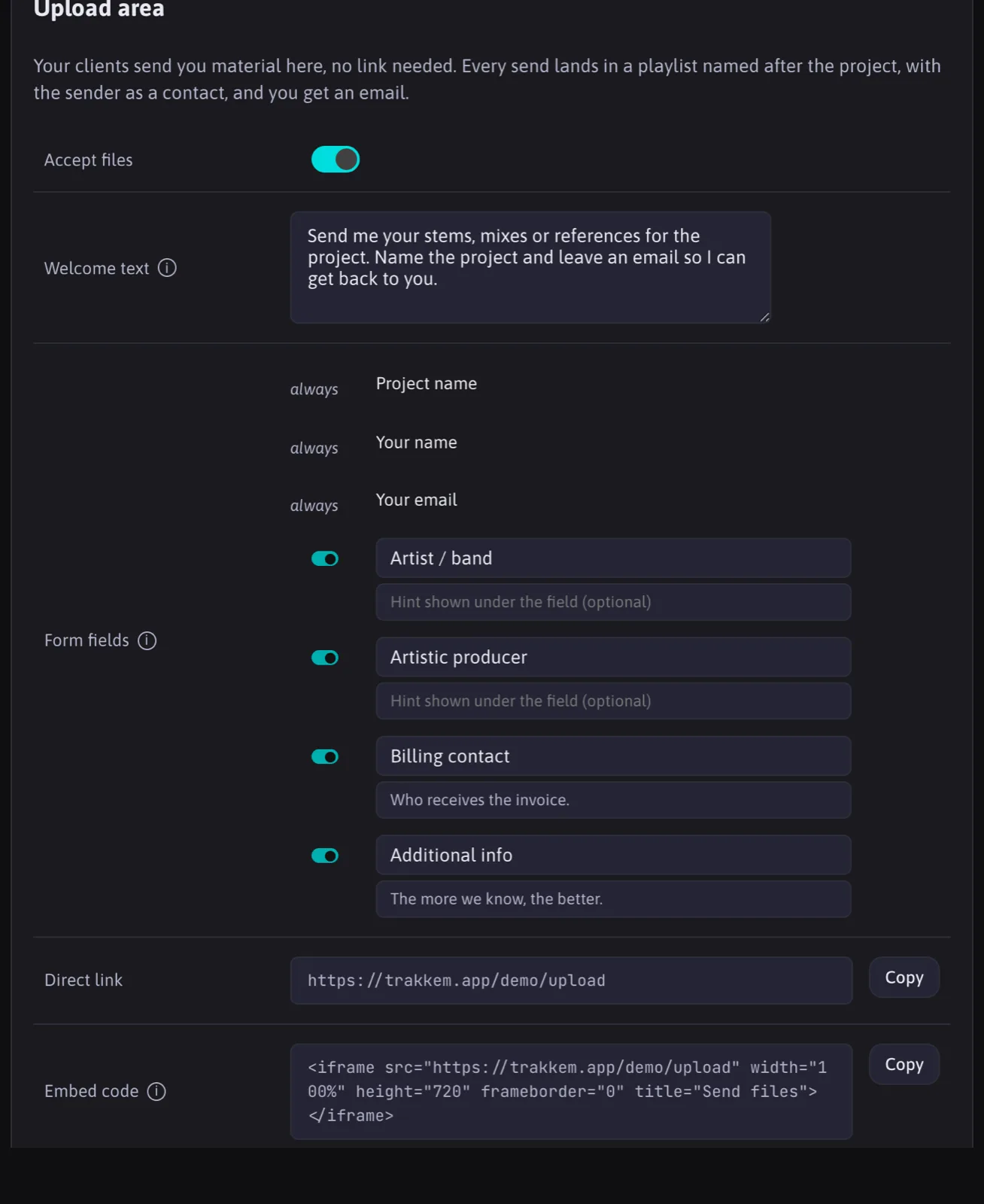
In Settings, section Upload area:
- Accept files: switches the page on or off.
- Welcome text: shown above the form. Put your technical instructions here: formats, bit depth, naming.
- Form fields: project name, sender name and email are always asked. The optional fields (artist or band, artistic producer, billing contact, additional info) can be switched on or off and renamed in your own words, with an optional hint under each.
- Direct link and Embed code to copy.
What happens on a submission
When a client submits, trakk'em creates, in one go:
- a Contact from the sender's email (or reuses the existing one);
- a Playlist named after the project, one per contact and project name, so a second submission for the same project lands in the same place;
- the contact's private Link to that playlist, ready if you want to send something back;
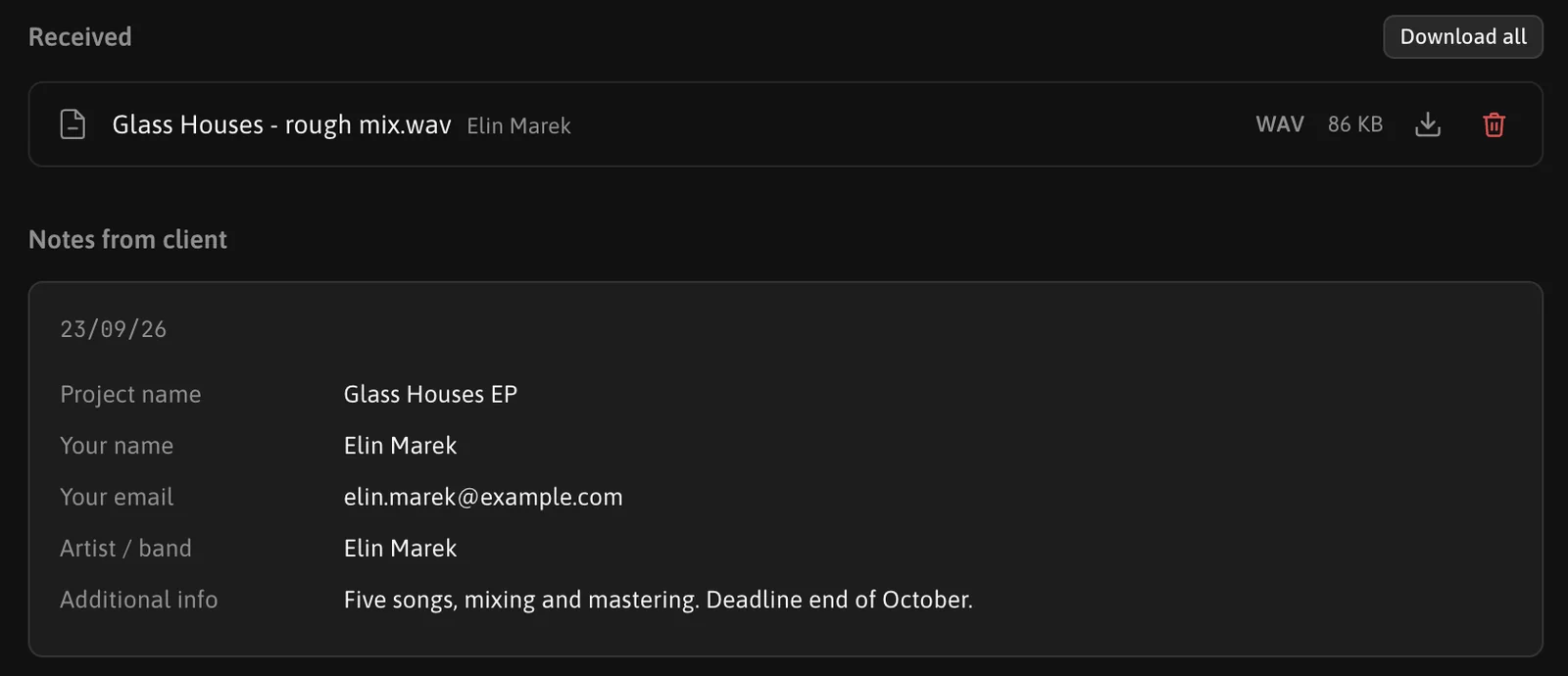
- an Intake card with the answers to the form, shown as "Notes from client" on the playlist page and visible only to you.
The files then arrive as received files in that playlist. You get one email per submission, if that notification is on in your settings. The sender sees a confirmation on the page and receives no email at that point; they are notified when you download their files.
Received from client
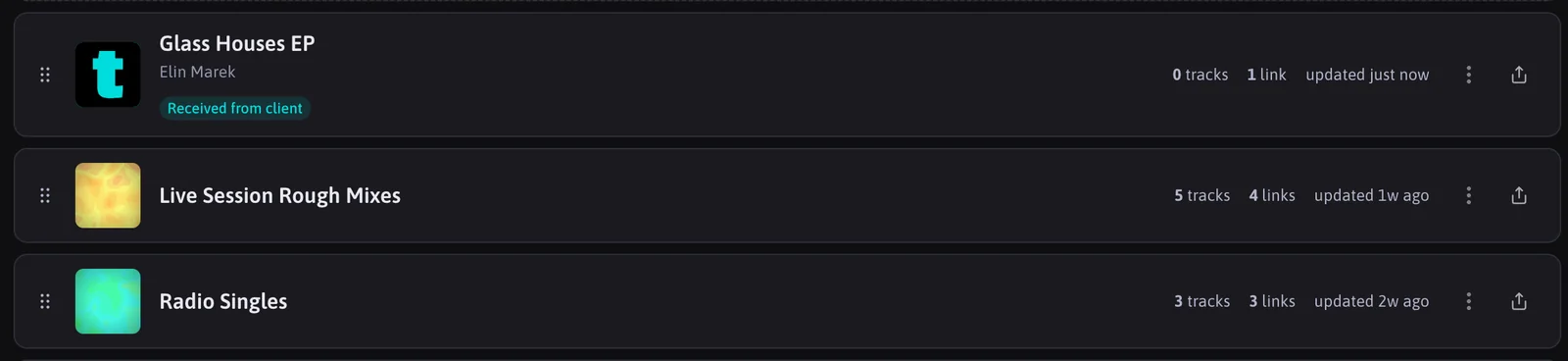
A playlist created this way shows a "Received from client" mark until you download the files for the first time.
Abuse
The page is public by design: no login, no captcha. Submissions are rate-limited per network address to keep it usable.
FAQ
Can I embed it on Wix, Squarespace or WordPress?
Yes. Paste the embed code in an HTML embed block (Wix: Embed HTML, WordPress: Custom HTML).
What if a client submits twice for the same project?
The files are added to the same playlist. A different project name creates a new playlist.
Which fields are always asked?
Project, name, email and files, because they are what makes the automatic organisation possible. The other fields are yours to switch on, off and rename.