
Every uploaded track is analysed on the server: tempo, key, loudness and a set of descriptive keywords called Track DNA. The result sits on the track page, and the audio stays untouched. Tempo and key are shown on every plan; the Engineer and Track DNA tabs need Pro or Studio.
What is measured
The analysis card has three tabs:
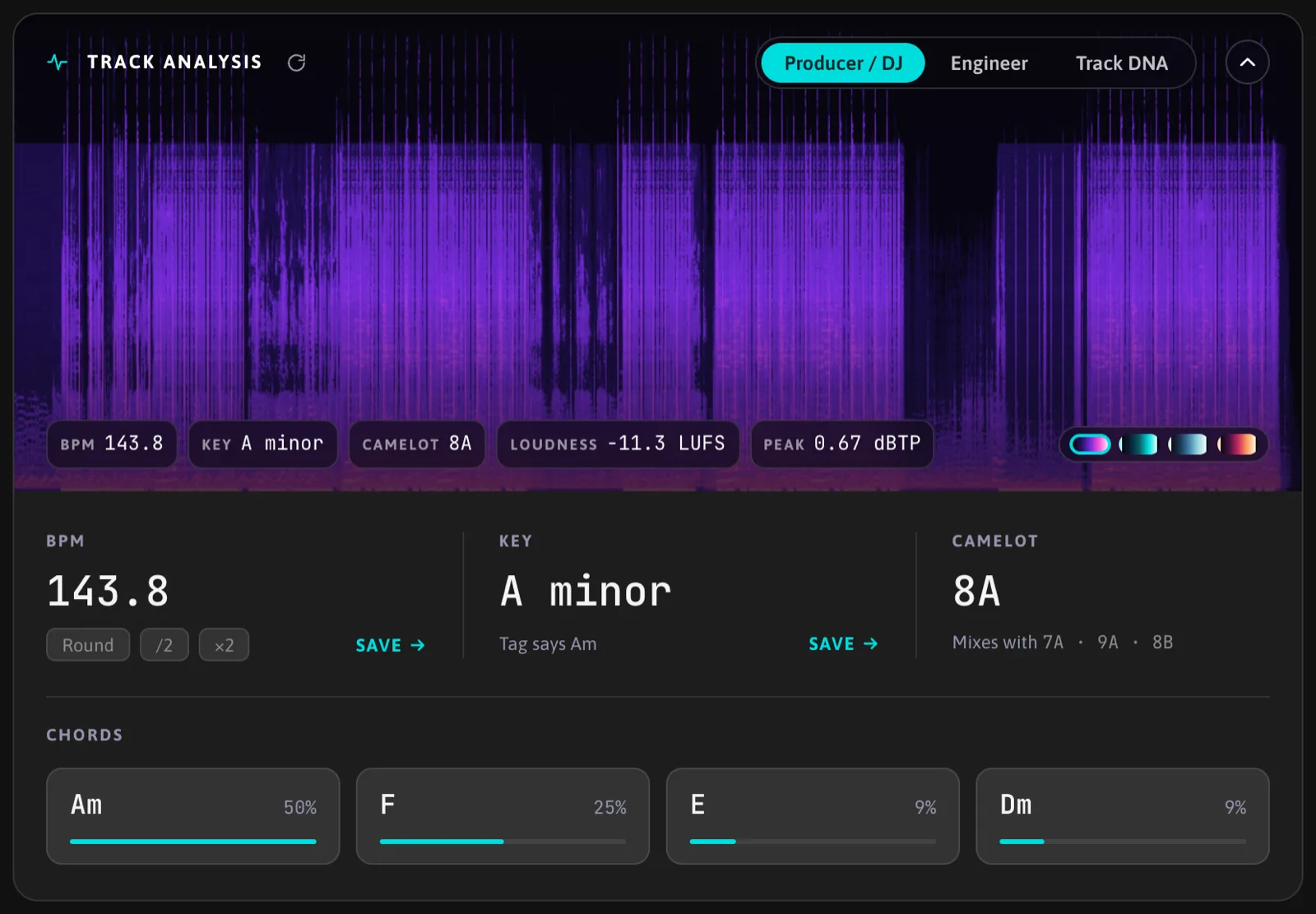
- Producer / DJ: BPM, key, scale and the Camelot wheel notation for harmonic mixing. Available on every plan.
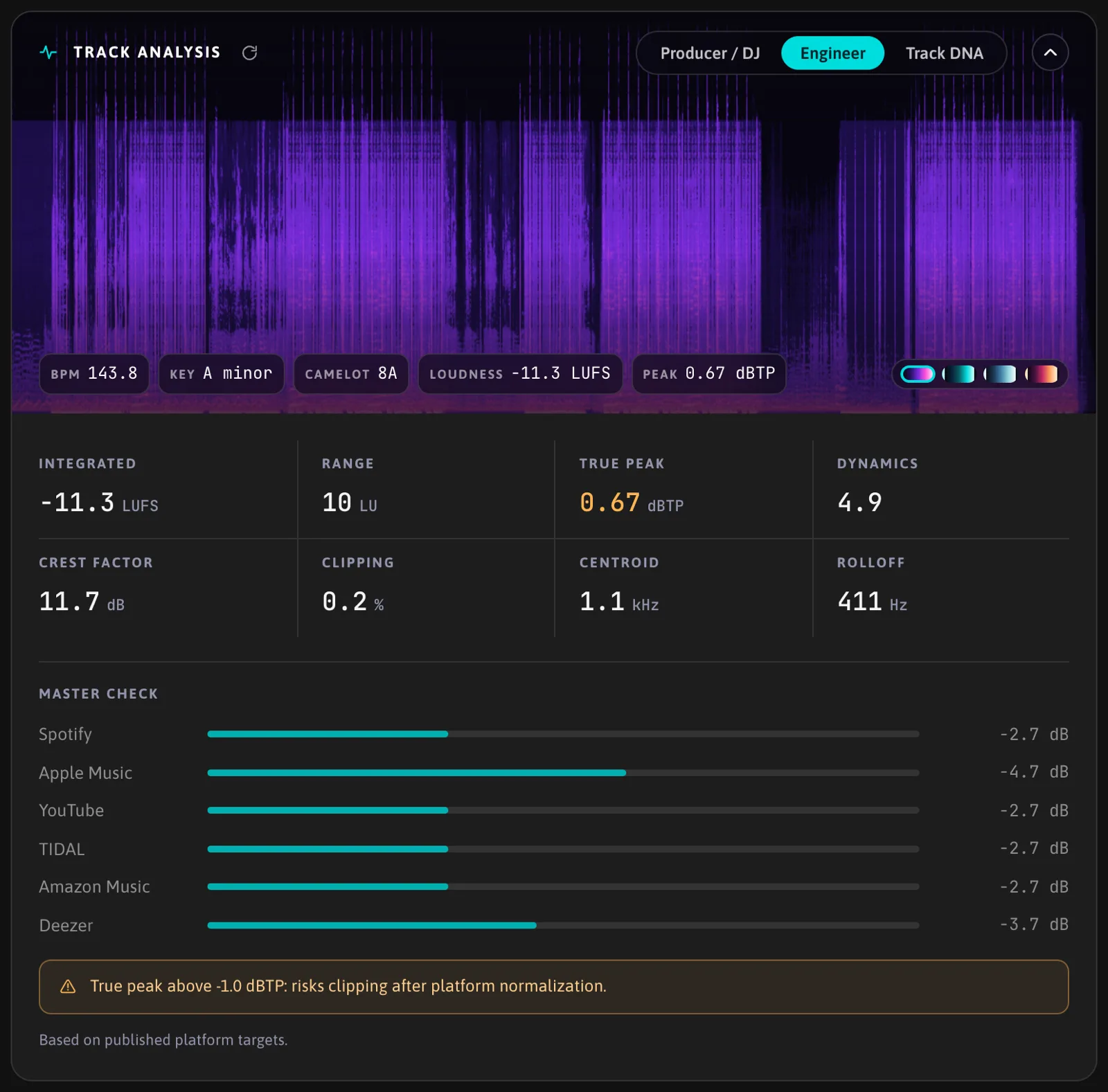
- Engineer (Pro and Studio): integrated loudness (LUFS), loudness range, true peak, dynamics, crest factor, clipping rate, spectral centroid and rolloff, plus a master check that reads those numbers against common delivery targets. A spectrogram of the whole track is shown above the tabs.
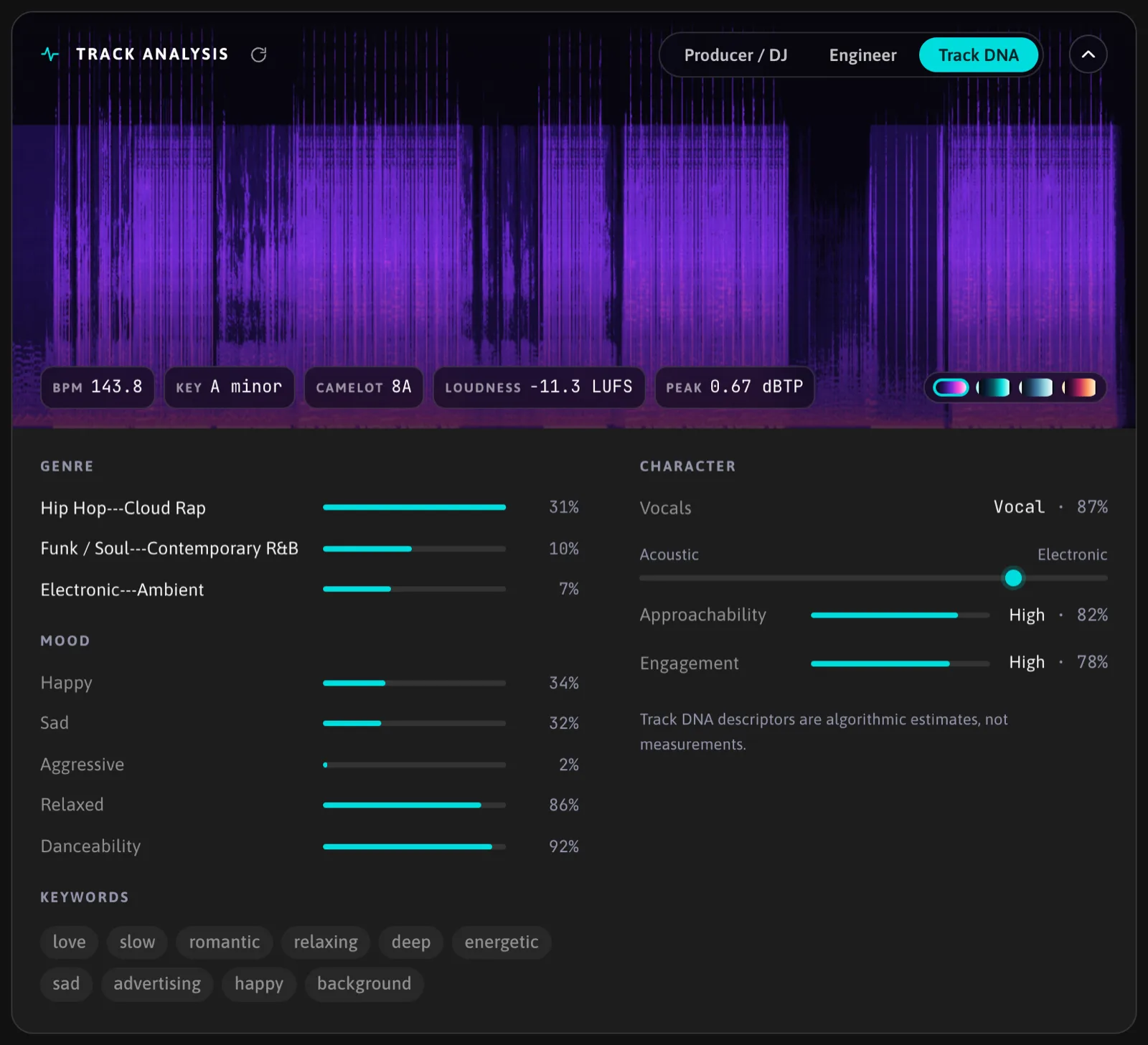
- Track DNA (Pro and Studio): keywords describing genre, mood and instrumentation, produced by a classifier. It is best-effort and can be wrong on unusual material.
On Free the analysis still runs; the Engineer and DNA tabs are visible but locked.
When it runs
Analysis starts automatically after an upload. For tracks uploaded before the feature existed, it starts the first time you open the track page. If a run fails, a Retry button appears on the card.
Using the values
BPM and key from the analysis are shown next to the track's own BPM and key fields. Press Save next to a value to write it into the track. This is the only way the analyser changes your track data.
FAQ
How accurate is the BPM?
Tempo is snapped to the nearest whole number when the detected value is very close to it, which is what you want for most produced music. Half and double tempo confusions are possible on sparse material; check the value before adopting it.
Who sees the analysis?
Only you, on your track page.
What does the analysis write?
Numbers and a spectrogram image, stored next to the track. The audio file stays as uploaded.