
Stats is where every share is read. It lists your playlists and tracks with their links, and opens into a per-listener detail with the wavemap.
The list
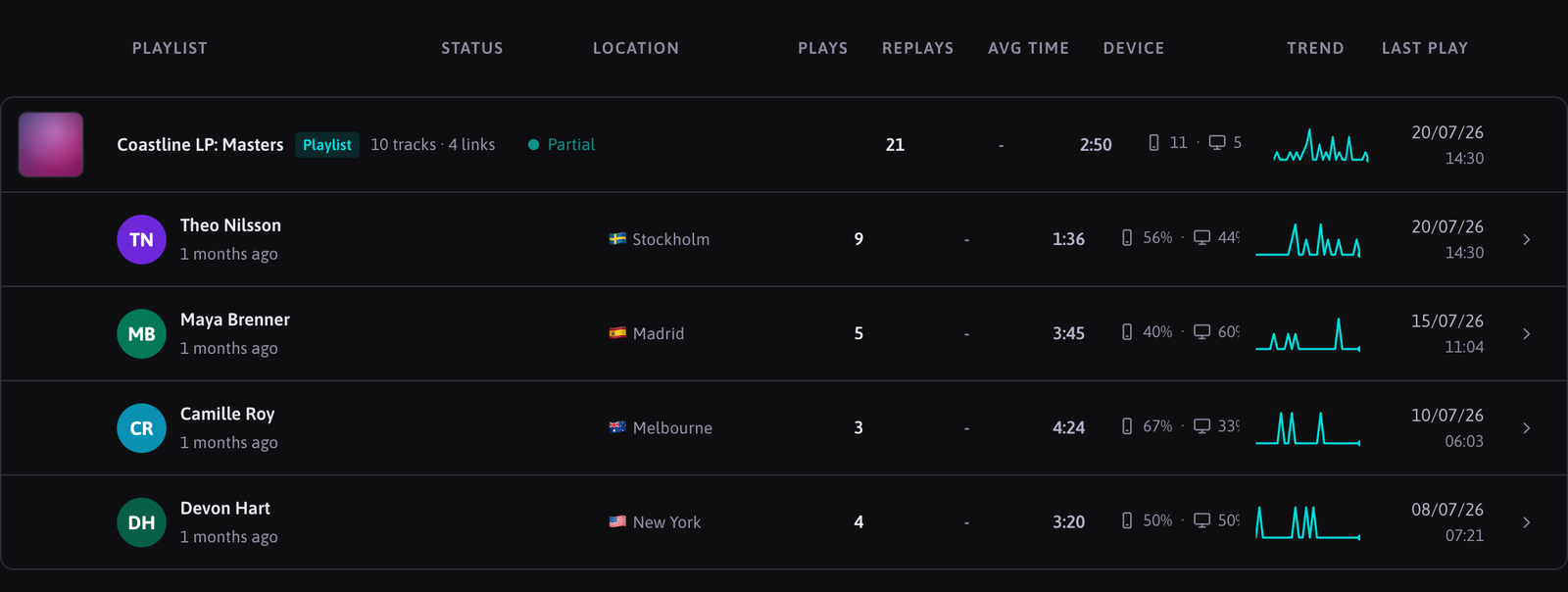
Each row is a playlist (or a directly shared track) with its plays and a sparkline of activity. Filter the list with the chips All / Playlists / Tracks, and expand a row to see one line per link: the contact, status, plays and last activity. A pulsing "Playing now" marks a link with a listener playing right now.
The period filter (24h, 7d, 30d, 90d, All) scopes everything on the page. On Free, periods beyond 30 days are locked.
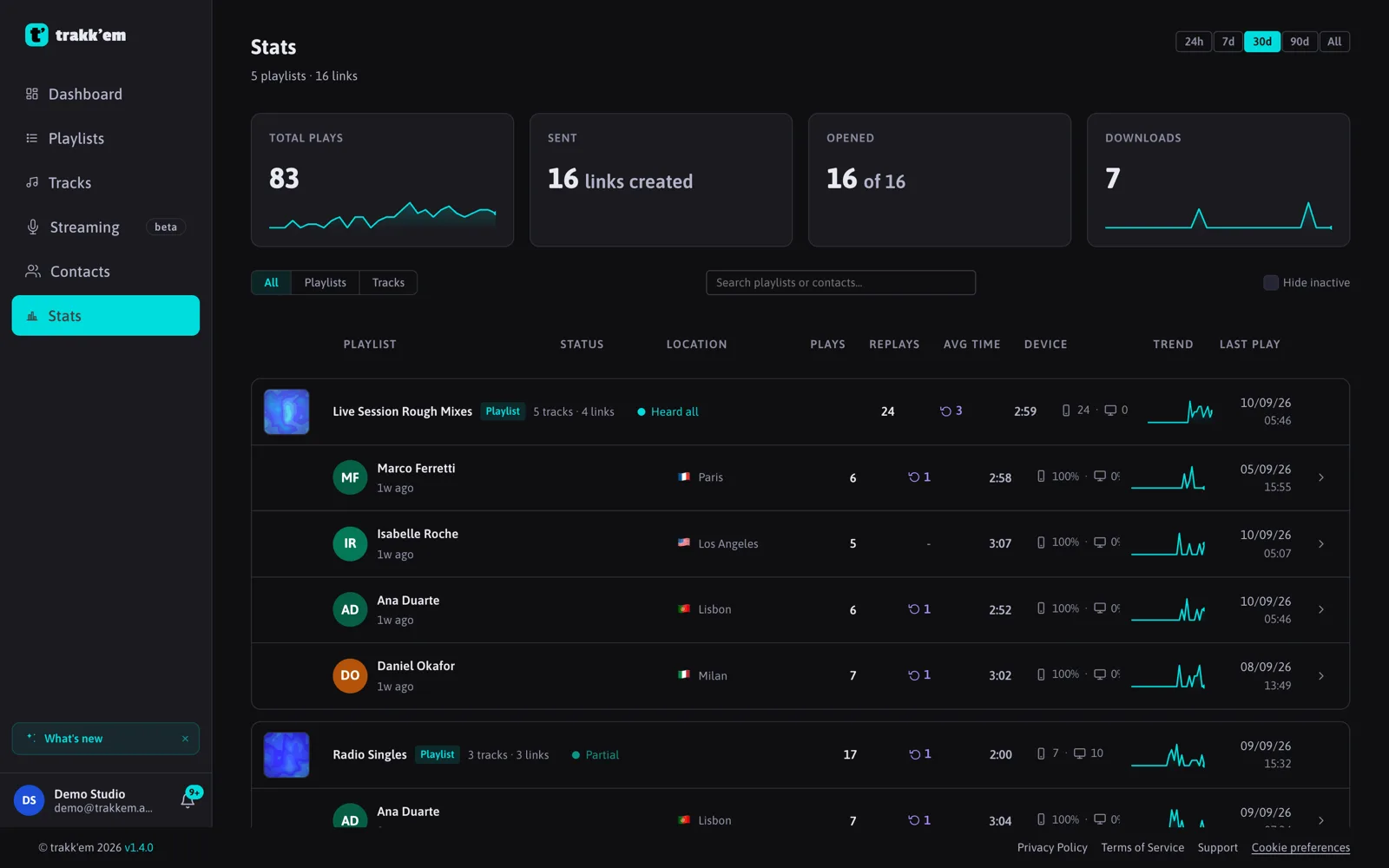

If the website embed is switched on for a playlist, it appears as its own "Website embed" row, kept separate from listener totals.
Link detail
Click a link to open its detail: plays, sessions, replays and downloads as headline numbers, the top location and device, an activity timeline, and one row per track with status, plays, replays, average time, trend and last play.
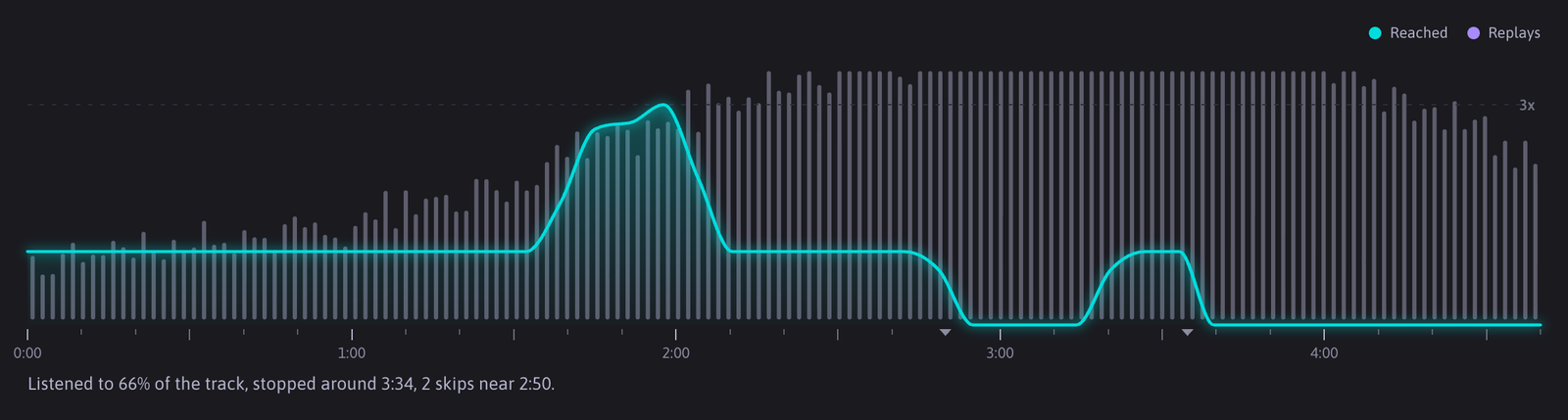
Expand a track row to see its wavemap: the track's waveform with a line showing how many times each part was played. Peaks are what got replayed, dips are what got skipped. While the track is playing now, a dot glides along the line.
Where else stats appear
- The track page shows the listeners of the last 7 days with total plays, average completion and how many reached the end.
- The Dashboard shows account-wide activity.
- The notifications bell tells you about the first listen on each link, downloads and received files.
FAQ
Why do totals change after I delete a track?
Deleting a track also removes its play history, so a playlist's totals always match the tracks it currently contains.
Why is a link "Playing now" but the wavemap is still empty?
The first segments arrive a few seconds after play starts. The panel refreshes on its own.
How fresh is the data?
The list refreshes every 15 seconds. The link detail refreshes every 15 seconds too, and every 5 seconds while something is playing.